Master Folios
Master folios are used for posting transactions that should not post to guest folios. Some master folios are optional and some are required.
Master folios are checked in just like guests, with a few exceptions. Those exceptions are what makes these folios function the way they do.
This document will explain each type of master folio.
Gift Card Master Folio (for Execu/Gift)
|
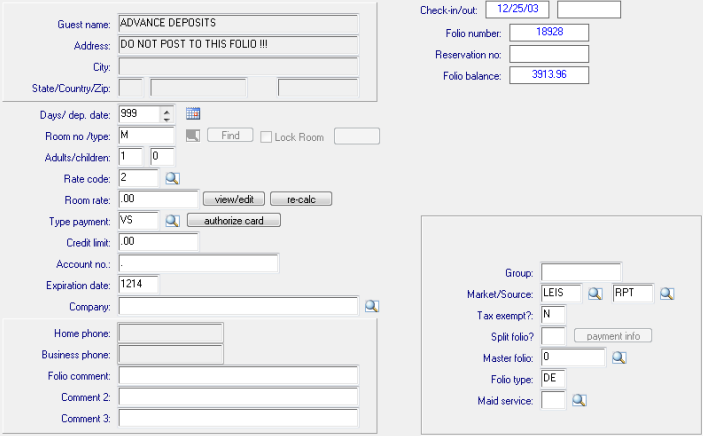
The Advance Deposits Master Folio is a "holding" folio where guest reservation advance deposits are kept until the guests are checked in. You should never post to this folio. All postings are done internally. The sum of this folio appears on your Night Audit Final Recap. Several reports are available for guest deposit information.
The folio type will be DE.
After you’ve set up this folio, go to Manager/Setup > Hotel Control Files > Payment Codes. Create or bring up payment code DEP. |
|
If you are using Execu/Touch Point of Sale, you’ll need one or more POS master folios – one for each POS outlet or store. You should give them logical names such as: Restaurant Master, Gift Shop Master, Main Street Bistro Master, etc.
When POS checks are closed, the charge & payment transactions post to the POS master folios so that the sales, liabilities, and receipts will be included in your hotel's daily statistics and can be reported.
You should never post to this folio. All postings are done internally. The folio balance should always have a zero balance.
This folio should always have a zero balance after each POS check has been closed. If it does not, one of three things occurred:
Your remedy will be determined by the cause as stated.
The folio type will be CL.
After you’ve set up the master folio, go into POS Administrator > Store Record. Click the Hotel button. Enter the POS master folio |

|
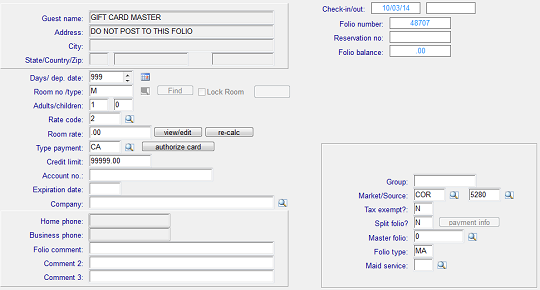
Gift Card Master Folio (for Execu/Gift®)
You should never post to this folio. All postings are done internally. The folio balance should always have a zero balance. The folio type will be MA.
Once you’ve set up the Gift Card master folio, you’ll need to edit MENUINI.FIL. This file is found in your Hotel folder on the server and can be
Look for the line: HOTEL-GIFT-CERT-INFO=687,GCS,GCH,GCR,GCRD
Change the number 687 to the actual master folio number. Further instructions can be found here: Gift Cards (Execu/Gift) |
|
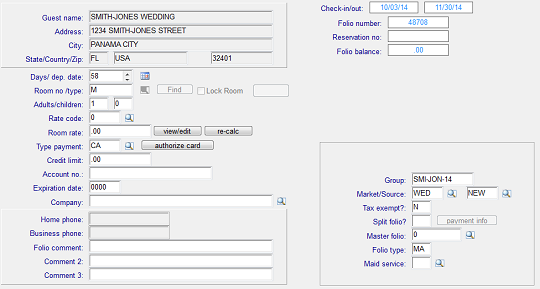
Group master folios can be created automatically by checking “Create master folio automatically” when setting up the group. You also can create them manually.
Charges incurred by the group will post to this folio including catering, meeting room rentals, etc.
The folio type will be MA.
If “Apply master folio to reservations” is checked in the group setup, then guests’ room and tax charges will post automatically to the master rather than to the guest folios.
You will post group deposits to the master folio (but not individual guest deposits if guests are paying their own room |
| Other Master Folios Additional master folios include Admin/General/Operations; Cash Sales; Adjustments; and Miscellaneous postings. These are optional. These folios should be closed periodically, depending on the quantity of accumulated transactions. 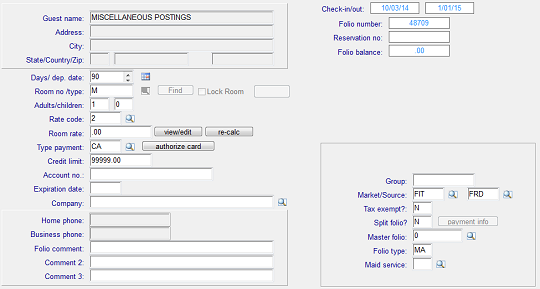 Back to top |
Click here for the Master Folios User Guide.